

Outlook
Three dated checks for UK seasonal peaks in the scheduling calendar
A UK seasonal social media calendar needs three dated checks covering climate, named holidays and ONS retail and tourism data, plus regional variations.
What to take away
- A UK seasonal social media calendar works when it ties climate, named holidays and ONS retail data to dated checks, not vague seasonal themes.
- Retail peaks cluster around Christmas, Easter and Black Friday, but tourism peaks in coastal and rural regions arrive earlier and end sooner.
- Regional variations from Scotland to Northern Ireland change school holidays, bank holidays and daylight hours, so one national calendar misses local peaks.
- Three dated checks before each peak goes live cover data releases, holiday dates and regional daylight or weather shifts.
- A seasonal calendar template with fixed review dates stops last-minute scrambles and keeps campaigns aligned with published statistics.
How UK climate and daylight shape seasonal scheduling
UK daylight swings from barely seven hours in northern Scotland in December to over eighteen hours in southern England in June. That shift changes when audiences scroll. Evening engagement in winter starts earlier, often before 7pm, while summer evenings push peak activity past 9pm in Cornwall and the South East.
UK daylight and posting windows
Winter
- Daylight
- 7 hours
- Evening peak
- Before 7pm
- Content tone
- Practical planning
- Wet weather
- Heavier drops
Summer
- Daylight
- 18+ hours
- Evening peak
- After 9pm
- Content tone
- Short visual
- Wet weather
- Lighter posting
Rain patterns matter more than temperature for indoor browsing. A wet half-term in Wales or the North West keeps people on screens, so schedule heavier content drops then. Dry bank holiday weekends pull audiences outside, so lighter posting works better.
Seasonal affective patterns also affect tone. Dark January mornings suit practical, planning-focused posts. Bright May mornings suit short, visual content. These are not rules, but they are reliable enough to build into a UK seasonal social media calendar.
Daylight saving time is a fixed scheduling event. Clocks go forward on the last Sunday in March and back on the last Sunday in October. Each change shifts your posting window by an hour. If your scheduler runs on UTC, check that it adjusts for British Summer Time, or your 8am post lands at 7am.
Coastal tourism seasons start at Easter and end by late September in most of the UK. Inland tourism peaks later, often July and August. That gap means one national tourism campaign misses both. Build separate date ranges for coastal and inland regions.
Weather is not a reliable trigger for automated posts. A heatwave in London does not mean a heatwave in Glasgow. Use regional weather feeds only if you can segment by postcode area and pause rules are in place. Otherwise, keep weather out of the trigger logic.
Named holiday and retail dates for the UK calendar
UK bank holidays are not uniform. England and Wales share most dates, Scotland has its own, and Northern Ireland adds St Patrick's Day and Battle of the Boyne. If your calendar lists one set of bank holidays, you will miss local peaks.
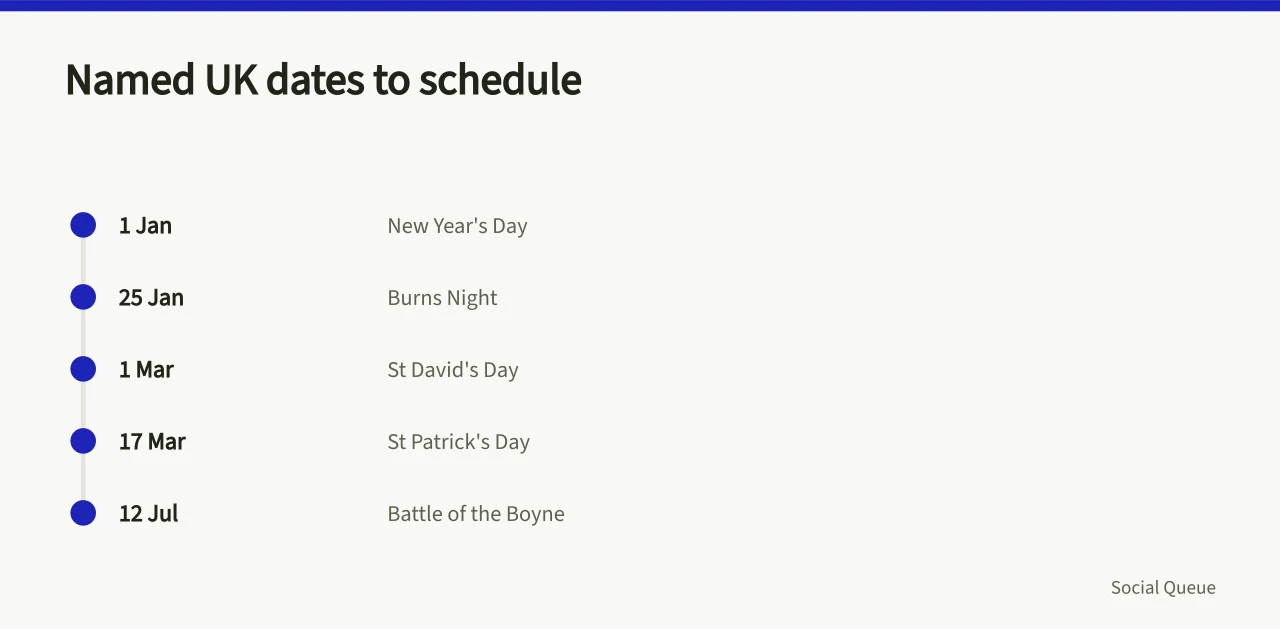
Here are the core named dates to build into a UK seasonal social media calendar. Some move each year, so check the official gov.uk bank holiday page before you lock dates.
Named holiday and retail dates
| Date or period | Nations | Typical scheduling use |
|---|---|---|
| New Year's Day, 1 January | All UK | Reset content, planning posts |
| Burns Night, 25 January | Scotland | Scottish heritage and food content |
| Valentine's Day, 14 February | All UK | Retail and hospitality peaks |
| St David's Day, 1 March | Wales | Welsh cultural content |
| Mother's Day, fourth Sunday of Lent | All UK | Retail and dining peaks |
| St Patrick's Day, 17 March | Northern Ireland | Northern Irish cultural content |
| Easter, variable | All UK | Travel, food, retail peaks |
| Early May bank holiday, first Monday in May | All UK | Leisure and tourism |
| Spring bank holiday, last Monday in May | All UK | Half-term and travel |
| Father's Day, third Sunday in June | All UK | Retail and dining peaks |
| Battle of the Boyne, 12 July | Northern Ireland | Northern Irish cultural content |
| Summer bank holiday, first Monday in August | Scotland | Scottish leisure peaks |
| Summer bank holiday, last Monday in August | England, Wales, NI | National leisure peaks |
| Halloween, 31 October | All UK | Retail and events |
| Bonfire Night, 5 November | All UK | Local events and safety content |
| St Andrew's Day, 30 November | Scotland | Scottish cultural content |
| Christmas, 25 December | All UK | Retail peak |
| Boxing Day, 26 December | All UK | Sales and sport |
Retail peaks do not all fall on holidays. Black Friday, the day after Thanksgiving in the US, has become a UK retail fixture. It falls on 27 November in 2026. Cyber Monday follows on 30 November. Both are major online retail dates, and both need content scheduled at least a week ahead.
January sales start on 1 January, but online sales often begin on Christmas Day evening. If you schedule a Christmas Day post, check whether your brand wants to compete with sale messaging. Many retailers pause organic posting on Christmas Day and resume on Boxing Day.
Back-to-school dates vary by nation. Scotland returns in mid-August, England and Wales in early September, Northern Ireland in early September. That two-week gap changes when parents are shopping and when they are online. Build separate date ranges for Scottish and other UK back-to-school campaigns.
ONS retail and tourism data behind seasonal peaks
You do not need to guess when retail peaks happen. The ONS publishes monthly retail sales data, including online sales proportions and sector breakdowns. Use the retail industry data to check whether your sector peaks in November or December, and how much of that peak is online.
ONS data review workflow
- Check ONS retail and tourism data
- Note release calendar dates
- Compare regional income data
- Adjust campaign timing or budget
ONS tourism data covers domestic and inbound visits, occupancy and spend. It is published monthly and quarterly. Use the tourism industry data to time regional campaigns. For example, if coastal occupancy peaks in August, schedule your coastal content for July.
Both datasets have release dates. The ONS release calendar lists every upcoming statistical release, including retail sales and tourism. Put those dates in your calendar as review points. If retail sales data shows a weaker November than expected, you can adjust December content before it goes live.
Regional accounts data breaks down economic activity by region. Use the regional accounts to compare regional disposable income and output. That helps you decide whether a premium campaign suits the South East better than the North East. It also supports budget allocation across regions.
Do not treat ONS data as a live trigger. There is a lag between the reference period and publication. Retail sales for November are usually published in December, after the peak has started. Use the data to plan next year's calendar, not to adjust this week's posts.
When you cite ONS figures in content, link to the exact dataset and note the reference period. That keeps you compliant with ASA rules on misleading statistics and gives your audience a dated source they can check. For more on dated sources, see our guide to dated sources.
Regional variations from Scotland to Northern Ireland
Scotland has different bank holidays, different school holidays and different daylight hours. In December, Glasgow gets about seven hours of daylight, while London gets about eight. That hour matters for scheduling morning posts. A 7am post in London may land before sunrise in Glasgow.
Northern Ireland shares some holidays with the Republic of Ireland, including St Patrick's Day. It also has its own bank holidays, such as Battle of the Boyne on 12 July. If your calendar only covers England and Wales, you will miss these dates and the local engagement that comes with them.
Wales has St David's Day on 1 March, which is not a bank holiday but is a major cultural date. Welsh language content performs well around it. If you post in English only, you may miss a segment of the audience that engages with bilingual content.
Regional variations also affect tourism. The South West and Wales have strong coastal tourism peaks in July and August. The Lake District and Scottish Highlands have walking seasons that peak in May and September. London tourism peaks in summer but also has a December Christmas market season.
Use ONS regional data to check whether a region's economy is growing or shrinking. If a region's disposable income is falling, premium campaigns may underperform. If it is rising, premium content may work better. That is a scheduling decision, not just a creative one.
When you plan a national campaign, build in regional exceptions. A bank holiday post for England and Wales should not go live in Scotland on the same day if Scotland is at work. A Scottish bank holiday post should not go live in England. These small errors erode trust with local audiences.
For a framework that accounts for timezone, exclusions and uncertainty, see our guide to timezone, exclusions and uncertainty.
Three dated checks before each peak goes live
Before any seasonal peak goes live, run three dated checks. Each check has a date and an owner. If a check fails, you pause the campaign.
- Data release check.Check the ONS release calendar for any retail or tourism data due in the two weeks before your peak. If a release is due, schedule a review. If the release contradicts your assumptions, adjust or pause.
- Holiday date check.Confirm the exact date of any bank holiday, school holiday or named day in your campaign window. Check gov.uk for bank holidays and each nation's education department for school holidays. If a date has moved, update the calendar.
- Regional daylight and weather check.Check sunrise and sunset times for each region in your campaign. Check the Met Office long-range forecast for the week of the peak. If daylight or weather contradicts your posting window, shift the window.
Run these checks 14 days, 7 days and 1 day before the peak. The 14-day check allows time to change creative. The 7-day check catches data releases. The 1-day check catches last-minute weather or news events.
Use a checklist for each check. Here is a template you can copy.
- ONS release calendar checked for the two weeks around the peak
- Bank holiday dates confirmed for all four UK nations
- School holiday dates confirmed for target regions
- Sunrise and sunset times checked for each region
- Met Office forecast checked for the week of the peak
- Regional accounts data reviewed for budget allocation
- Legal review done for any claims or statistics
- Stop rules agreed with the team
For stop rules and fields to include, see our template for stop rules.
A seasonal calendar template with review dates
A seasonal calendar template needs fixed columns. Date, peak name, nations, regions and content theme come first. Then posting window, data source, review date and owner. Fill it in once per quarter, then update the review dates.
Worked calendar review dates
- 27 Nov 2026Black Friday
- 1 Dec 2026Christmas countdown
- 25 Jan 2027Burns Night
- 1 Mar 2027St David's Day
Here is a worked example for a fictional UK retailer. The retailer sells outdoor clothing and has stores in England, Scotland and Wales.
Seasonal calendar template
| Date | Peak | Nations | Regions | Theme | Posting window | Data source | Review date | Owner |
|---|---|---|---|---|---|---|---|---|
| 27 Nov 2026 | Black Friday | All UK | All | Discounts | 6am to 10pm | ONS retail | 13 Nov 2026 | Alex |
| 1 Dec 2026 | Christmas countdown | All UK | All | Gifting | 7am to 9pm | ONS retail | 17 Nov 2026 | Alex |
| 25 Jan 2027 | Burns Night | Scotland | Scotland | Heritage | 8am to 8pm | None | 11 Jan 2027 | Sam |
| 1 Mar 2027 | St David's Day | Wales | Wales | Heritage | 8am to 8pm | None | 15 Feb 2027 | Sam |
| 17 Mar 2027 | St Patrick's Day | NI | NI | Heritage | 8am to 8pm | None | 3 Mar 2027 | Sam |
| 4 Apr 2027 | Easter | All UK | All | Spring | 7am to 9pm | ONS tourism | 21 Mar 2027 | Alex |
| 3 May 2027 | Early May bank holiday | All UK | All | Leisure | 8am to 9pm | ONS tourism | 19 Apr 2027 | Alex |
The review date is the date you check the data, not the date you publish. Set it at least 14 days before the peak. That gives you time to change creative, adjust budget or pause.
Review the whole calendar quarterly. Add a quarterly review date in January, April, July and October. At each review, check ONS release dates for the next quarter, update holiday dates and confirm regional variations.
For a broader outlook with review dates, see our guide to four watch areas.